Pivot Table Shows Customers With No Purchases

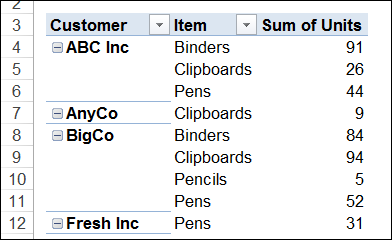
A pivot table is a great way to see a summary of sales to your customers. You can see how much they bought, and how much they spent, on each product. In the pivot table below, each customer is listed, and below the customer name is a list of products and quantities.

Continue reading “Pivot Table Shows Customers With No Purchases”

Count Unique Items in Pivot Table With Excel 2013 PowerPivot

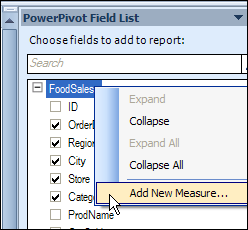
Last year, I described how to create a unique count in an Excel 2010 pivot table, by using the PowerPivot add-in. In that version, you can right-click on the table name in the field list, to add a new measure.

countdistinct00a

Continue reading “Count Unique Items in Pivot Table With Excel 2013 PowerPivot”

Change Selected Pivot Fields to SUM

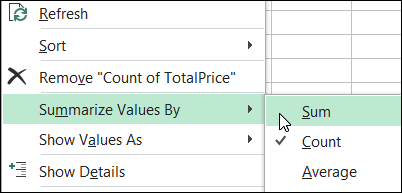
When you create a pivot table, Excel automatically makes the value fields either a SUM or a COUNT, depending on the type of data in that field. You’re not stuck with that function though — if you don’t like the summary function that Excel selected, you can change it.

summaryfunctions01

Continue reading “Change Selected Pivot Fields to SUM”