Get Total Amount from Specific Pivot Table

If you have multiple copies of a pivot table in a workbook, on different sheets, you can use the GETPIVOTDATA function to pull the total amount from a specific pivot table. In this example, there are 3 copies of the pivot table in a workbook, each with a different layout and filter applied.

The sheets are named consistently, starting with “PT_”, and the pivot table location is the same on each sheet.

Continue reading “Get Total Amount from Specific Pivot Table”

Copy Pivot Table Source Number Formatting

When you add numeric fields to a pivot table, Excel applies General format, in most cases. It doesn’t matter if you’ve spent hours applying fancy custom formatting to the numbers in the source data – all of that is ignored.

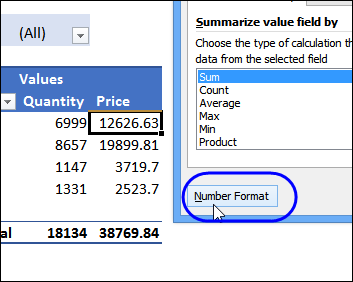
After the numeric data has been added to the pivot table, you can manually change the formatting of each field, in the Field Setting window. It’s not too painful in a small pivot table, but can take a while if there are several Values fields.

numberformatall02

Continue reading “Copy Pivot Table Source Number Formatting”

Remove Sum Of in Pivot Table Headings

When you add fields to the Values area, they are set as either Sum or Count, and the field is automatically renamed. For example, Quantity becomes “Sum of Quantity”, or “Count of Quantity”. These long field names  can make the columns wider than necessary, but if you try to change those names, Excel might show an error message — “PivotTable field name already exists.”

Continue reading “Remove Sum Of in Pivot Table Headings”

Hide Zero Items in Pivot Table

If you create a calculated item, extra items might appear in the pivot table, with zero amounts in some rows. In the example shown below, a calculated item was created in the Category field. Because of that, all the cities are listed under each region, instead of just the region in which they are located.

Los Angeles and San Diego are not in the East, so their sales in that region show up as zero. It makes the pivot table look messy and confusing!

Continue reading “Hide Zero Items in Pivot Table”