
In your pivot table, you might like the subtotals to appear at the top of the row field items.
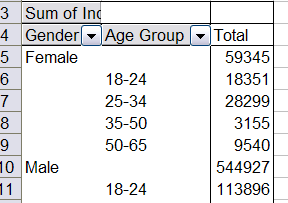
If the pivot table is in outline (Report) layout, you can format the field to control where its subtotals appear:
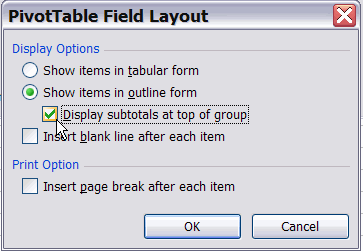
- Double-click the field button to open the PivotTable Field dialog box.
- Click the Layout button.
- Select Show items in outline form and add a checkmark to Display subtotals at top of group.
- Click OK, then click OK to close the PivotTable Field dialog box.
___________________________
For more information on pivot tables, see the Pivot Table Topics on my Contextures web site.
___________________________