
Microsoft PowerPivot for Excel 2010 is a data analysis add-in for Excel 2010, and is part of the Office 2010 Beta. You can test PowerPivot in the hands-on Virtual Lab, or in the Office 2010 Beta, if you’ve downloaded that.
That’s where I tested PowerPivot last weekend, and described the experience in my Contextures blog article, Drill Into Data With PowerPivot.
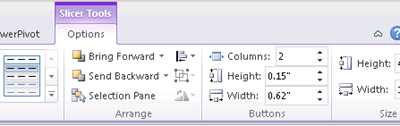
There are step-by-step instructions in the module, and you can experiment a bit on your own too. For example, I tried a few of the Slicer formatting features.
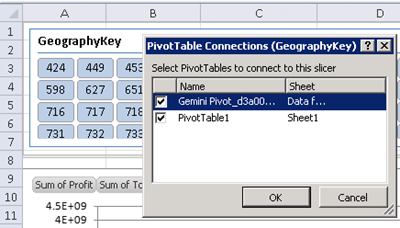
You can connect each slicer to one or more of the pivot tables, and filter all the connected pivot tables at the same time.
_______________
- See also: My PowerPivot for Excel 2010 Virtual Lab Review
- For more information on PowerPivot, see the PowerPivot Team blog.
- For a new pivot table formatting tip, see John Walkenbach’s Spreadsheet Blog: Unlinking A Pivot Table
___________________