
If you rearrange the fields in a pivot chart layout, the related pivot table changes too. Unfortunately, there’s no setting you can change if you want the pivot chart and pivot table to work independently.
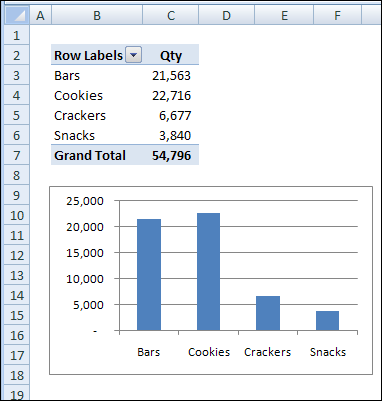
As a workaround, you can create a second pivot table, based on the first one, and arrange it as you’d like. Then, when you change the pivot chart, only the original pivot table is affected. You can hide the first pivot table that’s connected to the pivot chart and use the second pivot table as for printing reports.
If you require several charts based on the same pivot table, but with different layouts, create multiple pivot tables based on the original pivot table. Create one pivot chart from each of the secondary pivot tables, and rearranging one pivot chart won’t affect the others.
___________
This is stupid. All Microsoft has to do, is include the option: ‘synchronise with source’. A default missing tick will preserve the table and allow users to not have to make irritating copies of the same thing (which in many cases leads to clashes, when adding new data).
Totally agree. I went ahead and duplicated a graph 5 times that had been generated from a 500 line pivot table, thinking that I would finally make use of the filters on the pivot-charts to generate graphs for each of the 5 groups of data in the table. Of course, it filters the table. I go through every setting in excel, dozens of which I will never had any use for, and as you pointed out… no such option. Copy-copy-copy-copy…. filter-filter-filter-filter-filter.. and then pivotable x 5. Really not ideal…