
 Happy Spreadsheet Day! We celebrate on October 17th, because this is the date that VisiCalc was first released to customers, in 1979. This year’s theme is Spreadsheets for Students, and what better way to help students, than show them a great way to use pivot tables?
Student Budget Workbook
Most students have limited funds, so it’s important that they plan and track their spending. Bob Ryan, from the Simply Learning Excel website, has created a Student Budget spreadsheet, that should help students get their finances organized.
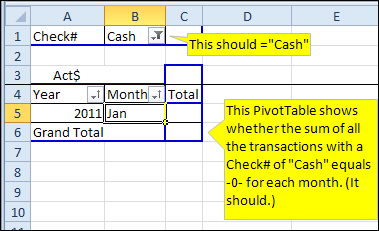
There is a transaction sheet, where you can enter your budget amounts and track your actual spending, including cash and credit cards. At the end of the month, review your cash and credit card spending in pivot tables that shows monthly totals.
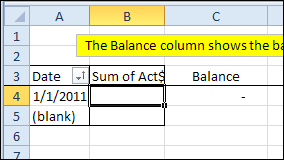
In another pivot table, you can keep track of your running balance.
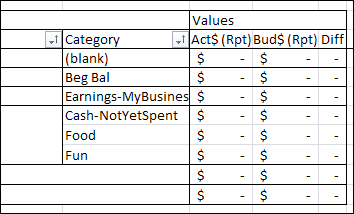
Bob also built a pivot table which compares your budget amounts with the actual amounts.
Download the Student Budget Workbook
You can download the Student Budget Spreadsheet file, and use it to track your own finances. To get the file, go to the Excel Sample Files page on my Contextures website, and in the Pivot Tables section, look for PT0023A – Student Budget Workbook. The file is in xlsx format, and it is zipped. There are no macros in the file.
Contribute to Spreadsheet Day 2011
If you’d like to join the Spreadsheet Day celebrations, please post your own free and useful spreadsheet template or add-in, that will help students get organized. Or, if you prefer, post a tip or link in Twitter, with the hashtag #spreadsheetday
Thanks for joining the Spreadsheet Day celebrations, and for sharing your knowledge with students. I’m sure they’ll appreciate it!
___________
As a Microsoft trainer, I often take a look at your blog when a student asks me a question I can’t answer! I can usually find an answer here to get back to them with. It never ceases to amaze me how after over 10 years of training Excel I’m still learning. If you ever want a guest contribution do let me know, I would be happy to oblige. Regards. Paul